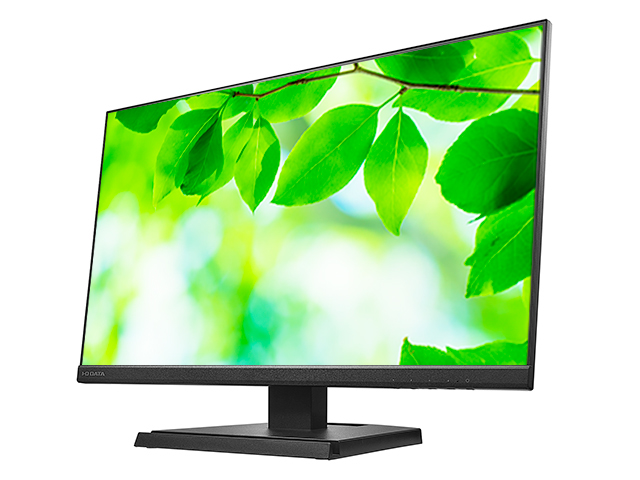

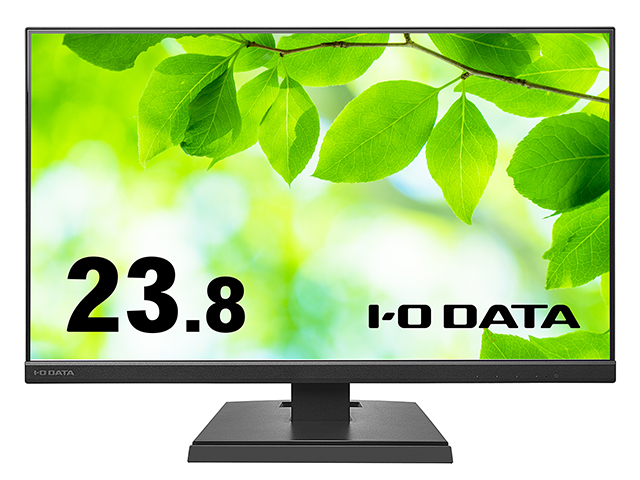
This product features ADS panel with a wide viewing angle and is designed with enviromentally conscioud specifications.
It also features eye-friendly functions such as "Flicker-Free" which eliminates backlight flickering, and "Blue Reduction 2" which reduces blue light on the display.
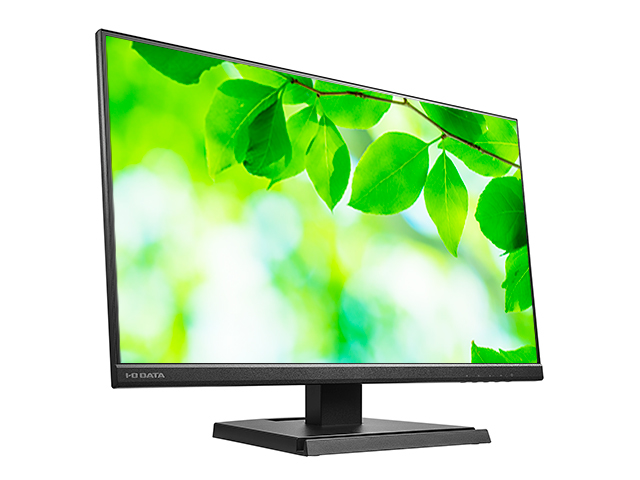
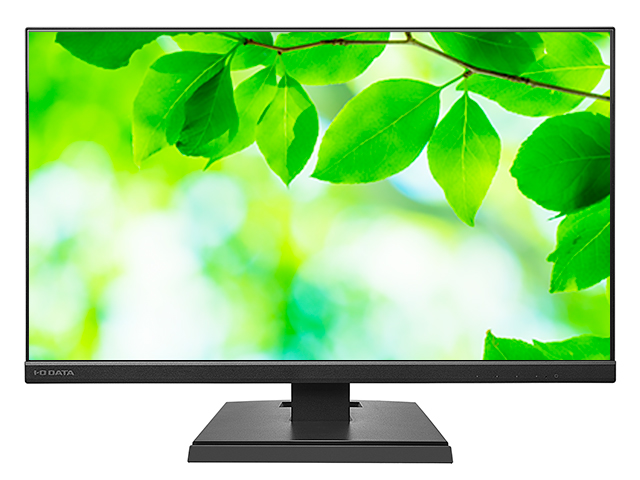
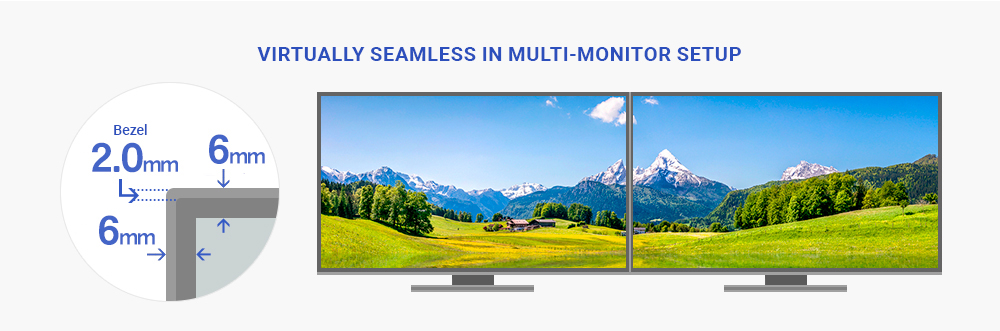
The three-sided frameless panel makes it ideal for multi-display setups. HDMI Cable is included, so you can start using it right after purchase.
| Model Number | Specifications | Price | Instruction Mannual |
| LCD-A241DB | Black G | Open Price | More |
| LCD-A271DB | Black G | Open Price | More |
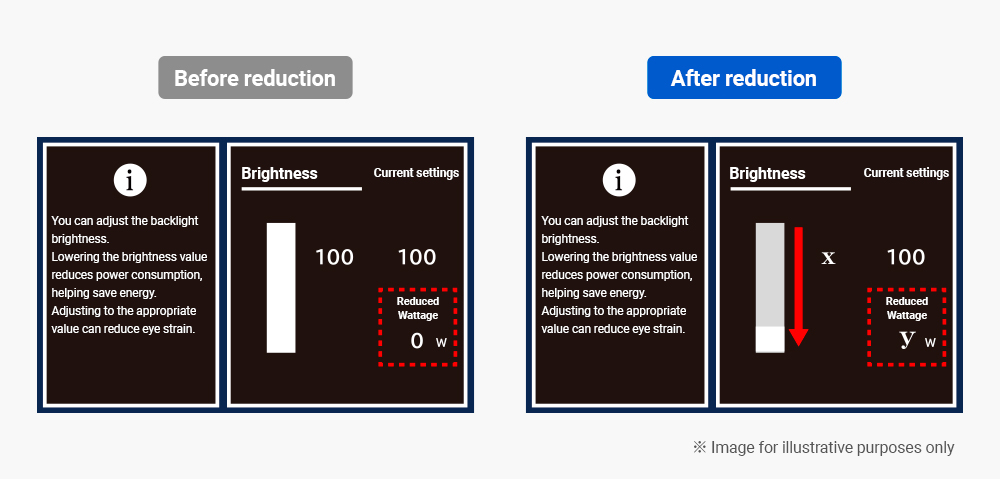
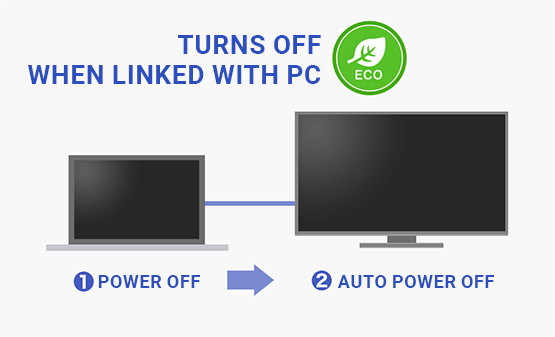
・Resource-friendly
We use recycled paperboard for individual packing boxes.
Additionally, we only include the cables that meet your specific needs with the product.
・Eco-friendly & easy-to-understand manuals
We have reduced the size of the instruction manual included with the product and expanded the online manual.
It makes it more convenient for customers to use and reduce resources.

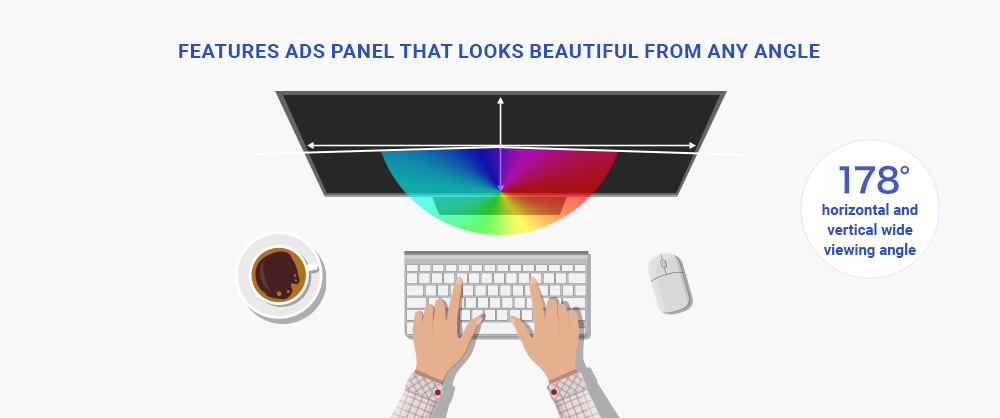
It features ADS (Advanced Super Dimension Switch) panel with a wide viewing angle of 178°in all directions. The color and contrast remain consistent regardless of the viewing position or angle, ensuring a clear image from every perspective.
"ADS panel" are versatile and easy to use for a wide range of applications because they exhibit minimal characteristic variation. If you're unsure about which LCD panel to choose, we recommend selecting an LCD monitor featuring "ADS panel".
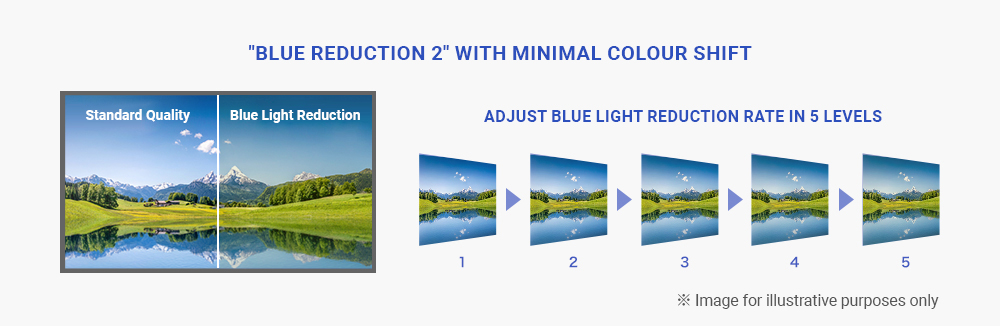
This product features "Blue Reduction 2" function that reduces blue light directly on the screen.
Our previous "Blue Reduction" feature only cut blue light, maming yellow tones to appear more prominent when the value was increased. With "Blue Reduction 2", we suppress yellow tones while still cutting blue light component, allowing you to use the blue light reduction feature more naturally.
You can comfortably use the screen itself to reduce blue light without purchasing special glasses or films.
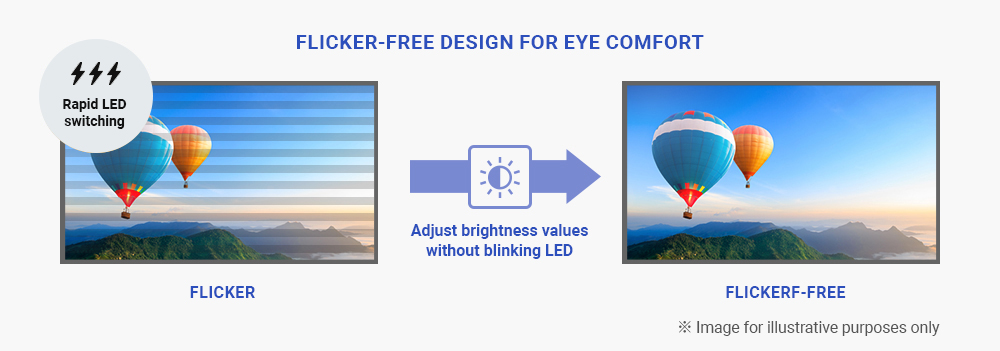
Conventional LCD monitors adjust the brightness level of the LED backlight by rapidly flashing the LEDs themselves (PWM dimming method).
Therefore, it is said that screen flicker can be perceived. Even if you don't notice the flicker, prolonged computer use can strain your eyes. However, this product has "Flicker-free" design that does not rapidly blink the LEDs. Instead, it adjusts brightness by modifying the current level, thereby eliminating flicker.
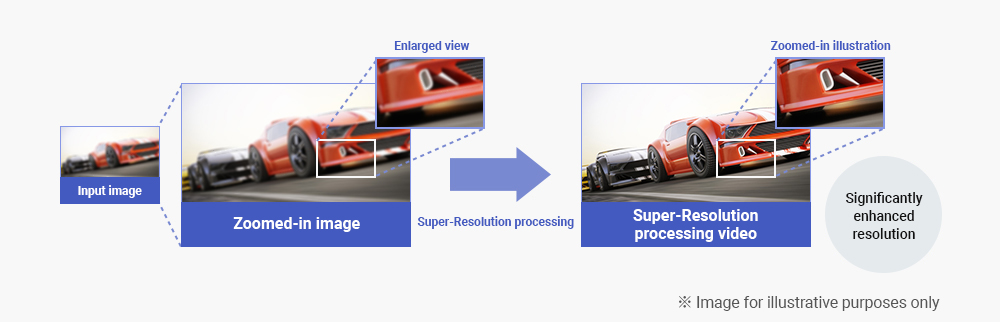
Blurring occurs when displaying SD-quality video (720×480) from sources like DVD on a high-resolution LCD monitor because the original video signal undergoes enlargement processing.
This blurring is improved by “Super-Resolution Technology” which significantly enhances resolution, allowing images to be reproduced with clarity.
In addition, the Super-Resolution settings can be flexibly adjusted to user preferences.
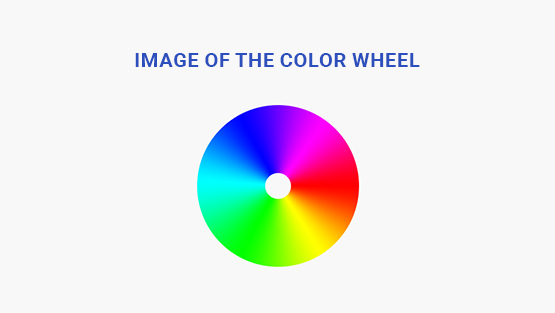
It features "Enhanced Color" for dynamic contrast and vivid expression. You can adjust the settings according to the usage scenario and content, such as vibrant visuals for digital signage and photos or true-to-life colors for PC use.
Can be adjusted as desired with 10 levels
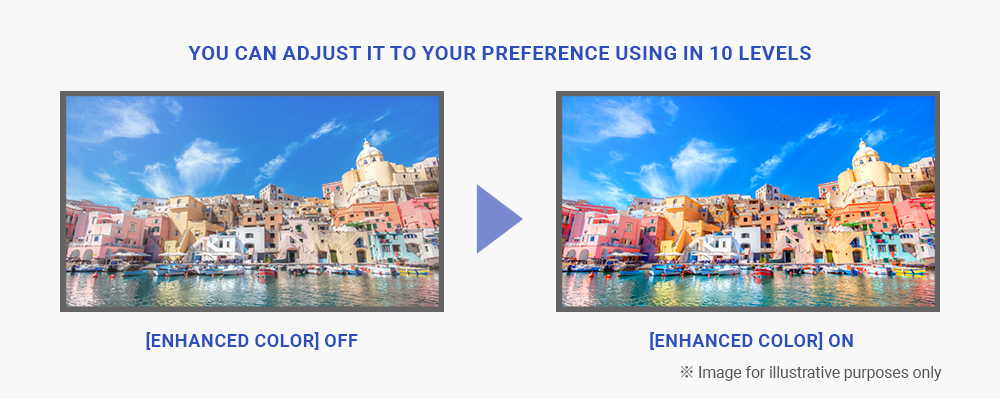
The video signal input through the terminal consists of the three primary colors: "Red", "Green"and "Blue". However, adjusting the colors using a six-color coordinate system that incorporates the complementary colors of "Cyan", "Magenta" and "Yellow" emphasizes and vividly expresses the colors of red flowers, blue skies and seas, and the vibrant green of trees. Furthermore, by adjusting the gradation enhances the contrast of the input image, it displays vivid and dynamic visuals.
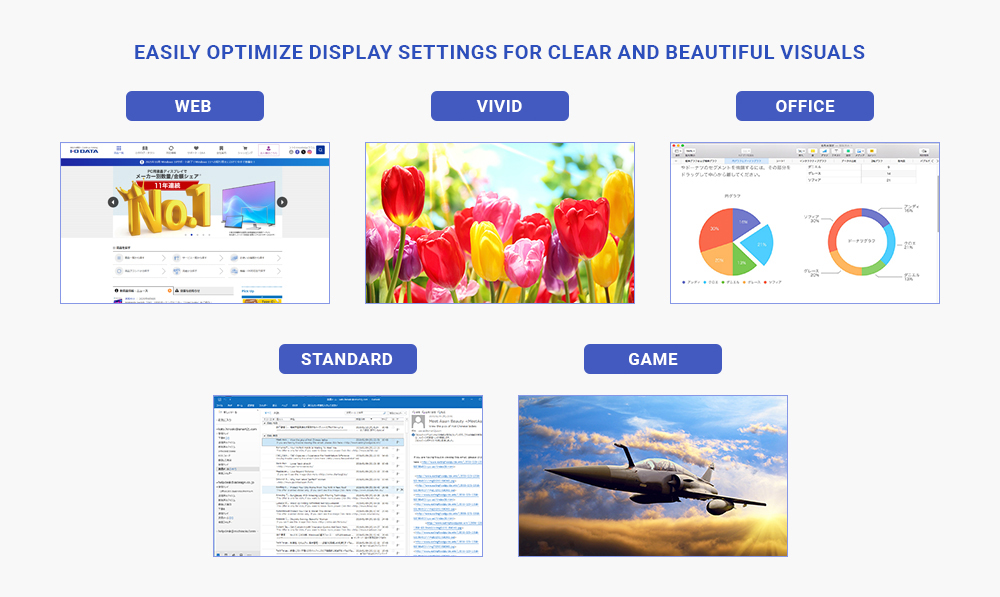
Presets are avialable for settings suited to each type of content.
Simply select the mode to enjoy beautiful picture quality for each content.
You can also adjust the picture quality in each mode according to your preferences.
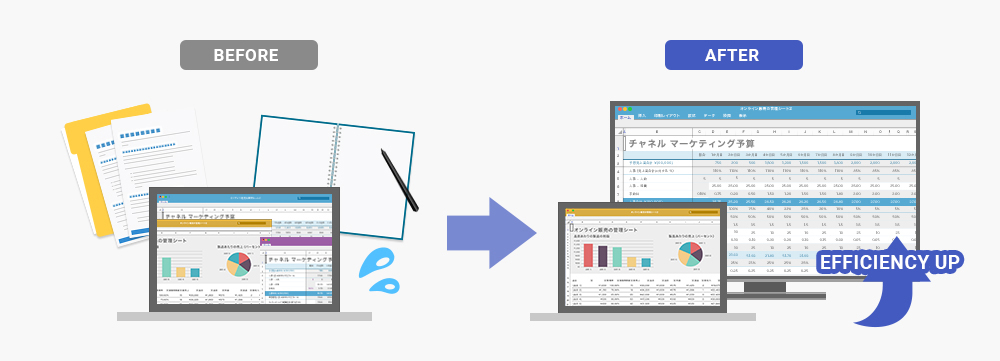
Expanding your workspace by adding a display to your computer lets you work on two screens at once and increase your productivity.
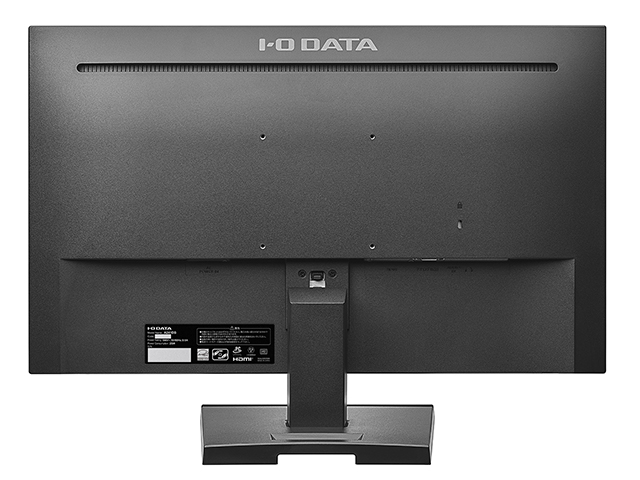
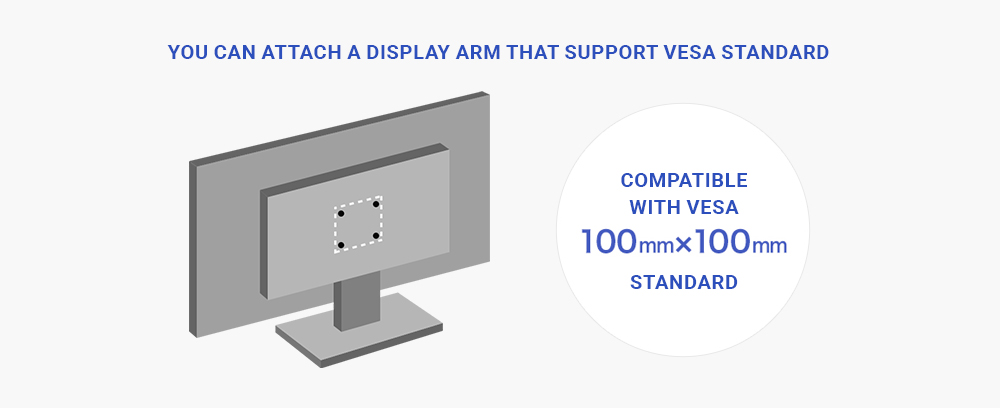
Compatible with the universal "VESA" mounting standard for display arms and stands. It mounts to 100mm × 100mm display arms and stands!
※ Please check the load capacity of the mounting arm or stand.
| Supported PCs | PC Windows, Mac, Chromebook |
| Supported Game Consoles | Nintendo Switch™, PS5™, PS4® Pro, PS4®, XBOX Series X, XBOX Series S |
| Supported OS | All OS, because it does not depend on the OS (except for OS that is not supported by the main unit) |
| Model Number/ Cabinet Color | LCD-A241DB/Black | |
| Panel type | TFT 23.8-inch wide/ADS | |
| Panel Surface Treatment | Anti-glare | |
| Maximum Display Resolution | 1920×1080 | |
| Pixel Pitch (mm×mm) | 0.2745(H)×0.2745(V) | |
| Display Area (mm×mm) | 527.04(H)×296.46(V) | |
| Maximum Display Colors | Display Colors up to 1,677,000 colors | |
| Viewing Angle | Vertical Veiwing Angle: 178°
Horizeontal Viewing Angle: 178° |
|
| Maximum Brightness (Standard) | 250cd/㎡ | |
| Contrast Ratio (Standard) | 1000:1 | |
| Response Time | 5ms[GTG]
※ 75Hz / Overdrive level 2 setting |
|
| Horizontal Scan Frequency (kHz) | VGA (Analog RGB):31.5~83.9
HDMI:31.5~83.9 |
|
| Vertical Scan Frequency (Hz) | VGA (Analog RGB):59.9~75.0
HDMI:59.9~75.0 |
|
| Maximum Refresh Rate (Hz) "At Maximum Resolution" |
75 | |
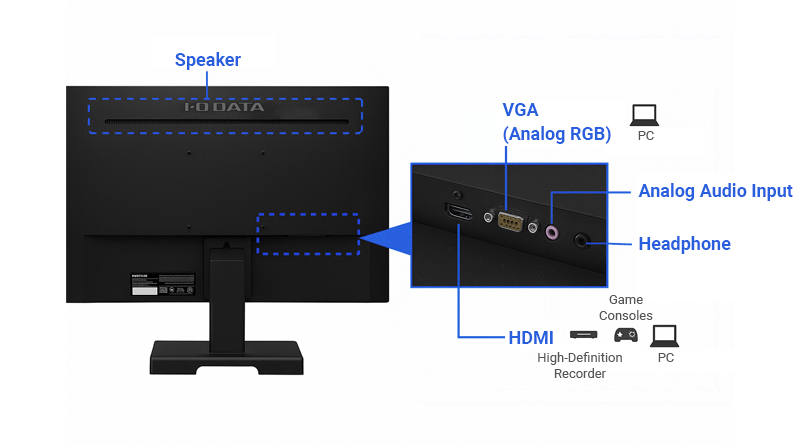
| Video Input Ports | HDMI×1, VGA (Analog RGB)×1 | |
| USB Ports | Upstream | - |
| Downstream | - | |
| Audio Input Output | Audio Input | Stereo mini jack φ3.5mm |
| Speaker | 2W+2W (Stereo) | |
| Headphone Jack | Stereo mini jack φ3.5mm | |
| Audio Output | - | |
| Rated Voltage | AC100~240V 50/60Hz (Built-in power supply) | |
| Power Consumption | Maximum | 25W |
| During Normal Operation (On mode) | 10.7W | |
| Annual Electricity Consumption | 34.4kWh | |
| Standby Mode | 0.3W | |
| Power Management | VESA DPM Compatible | |
| Plug and Play | VESA DDC2B | |
| Dimensions
(W×D×H) |
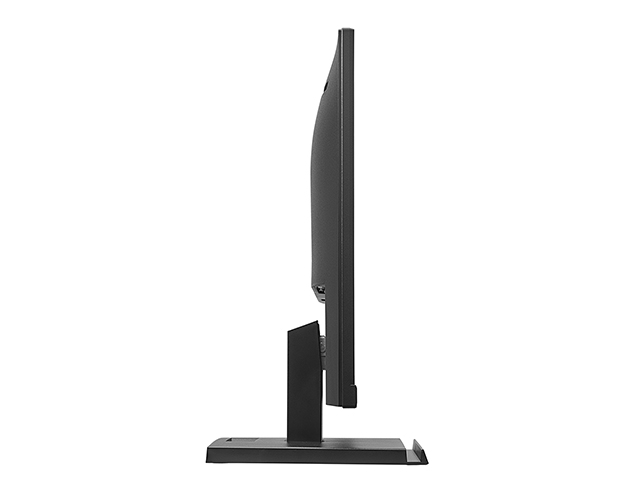
With Stand | Approximately 540(W)×215(D)×382(H)mm ※ Excluding protruding parts |
| No Stand | Approximately 540(W)×41(D)×325(H)mm ※ Excluding protruding parts | |
| Three-view drawing | File PDF | |
| Weight | With Stand | 3.5kg |
| No Stand | 3.2kg | |
| Tilt Angle | Up:20° Down:5° | |
| Swivel Angle | - | |
| Height Adjustment | - | |
| Pivot (Rotation) | - | |
| VESA Mount Interface | ○(100mm×100mm) | |
| Security Slot (Kensington Security Slot) | ○ (Security Slot) | |
| Package Weight (kg) and Dimensions(W×D×H) | 4.8kg/609(W)×120(D)×435(H)mm | |
| Operating Temperature Range | When Operating: 0℃~40℃
When Storage: -20℃~60℃ |
|
| Operating Humidity Range | 20%~80% (No condensation) | |
| Estimated Assembly Time | Approximately 3 minutes (For one adult) Time from unpacking to installation when using the included stand | |
| Various Certifications / Legal Regulations | VCCI Class B, RoHS Directive Compliance (10 Substances), International Energy Sar Program, MEPS | |
| Accessaory | Power Cable(1.8m), HDMI Cable(1.5m), Stand, Instruction Mannual | |
| Warranty Period | Period | Warranty Period: 3 Years
※ Including panel and backlight. However, the usage time is limited to 30,000 hours. Usage time refer to the total amount of time that the screen is illuminated. Standby and power-off are not included in the usage time. |
※ The appearance and specifications are subject to change without notice for improvement purposes.
※ There may be dead pixels (pixels that do not light up) or bright spots (pixels that remain lit) on LCD panel. This is the specification of the LCD panel and due to the LCD panel itself having over 99.999% effective pixels and about 0.001% pixel defects or bright spots. It is not a malfunction or defect.
※ Annual power consumption is calculated based on International Energy Star Program standards.
Annual power consumption (kWh) = (0.35 × PON + 0.65 × PSLEEP) × 24 × 365 / 1000
※ About continuous use: This product is not designed for continuous 24 hours use. Please refrain from using this product continuously for 24 hours to prevent accelerating the wear and tear of components with limited lifespans.
| Resolution | Refresh Rate | VGA (Analog RGB) | HDMI |
|
640×480
(480p) |
59.9 / 60.0 | ○ | ○ |
| 800×600 | 60.3 | ○ | ○ |
| 1024×768 | 60 | ○ | ○ |
|
1280×720
(720p) |
59.9 / 60.0 | ○ | ○ |
| 1280×1024 | 60 | ○ | ○ |
| 1600×900 | 60 | ○ | ○ |
|
1920×1080
(1080p) |
59.9 / 60.0 | ○ | ○ |
| 1920×1080 | 75 | ○ | ○ |
※ Please confirm that the connected PC is compatible with the resolution stated above.
※ Video signals with resolutions lower than the maximum display resolution will be enlarged.
※ All signals from PC must be non-interlaced.
| Aspect Ratio | 4:3, 5:4 Video | 16:9 Video | |
| Example of resolutions | 640×480, 1280×1024 | 1920×1080 | |
| Fixed | Enlarge the input signal while maintaining the Aspect Ratio (Smart Zoom) |
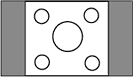
※1 |
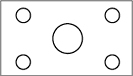
※1 |
| Expand | Zoom the input signal without maintaining the Aspect Ratio |
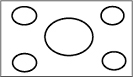
※1 |
|
※ Under the “Display” menu, you can select ""Fixed"" or ""Expand""for the ""Aspect ratio"" setting.
※ When using a resolution other than the optimal resolution (Maximum resolution), image enlargement processing causes blurring around edges.
| Supported PCs | PC Windows, Mac, Chromebook |
| Supported Game Consoles | Nintendo Switch™, PS5™, PS4® Pro, PS4®, XBOX Series X, XBOX Series S |
| Supported OS | All OS, because it does not depend on the OS (except for OS that is not supported by the main unit) |
| Model Number/ Cabinet Color | LCD-A271DB/Black | |
| Panel type | TFT 27-inch wide/ADS | |
| Panel Surface Treatment | Anti-glare | |
| Maximum Display Resolution | 1920×1080 | |
| Pixel Pitch (mm×mm) | 0.3114(H)×0.3114(V) | |
| Display Area (mm×mm) | 597.888(H)×336.312(V) | |
| Maximum Display Colors | Display Colors up to 1,677,000 colors | |
| Viewing Angle | Vertical Veiwing Angle: 178°
Horizeontal Viewing Angle: 178° |
|
| Maximum Brightness (Standard) | 300cd/㎡ | |
| Contrast Ratio (Standard) | 1000:1 | |
| Response Time | 5ms[GTG]
※ 75Hz / Overdrive level 2 setting |
|
| Horizontal Scan Frequency (kHz) | VGA (Analog RGB):31.5~83.9
HDMI:31.5~83.9 |
|
| Vertical Scan Frequency (Hz) | VGA (Analog RGB):59.9~75.0
HDMI:59.9~75.0 |
|
| Maximum Refresh Rate (Hz) "At Maximum Resolution" |
75 | |
| Video Input Ports | HDMI×1, VGA (Analog RGB)×1 | |
| USB Ports | Upstream | - |
| Downstream | - | |
| Audio Input Output | Audio Input | Stereo mini jack φ3.5mm |
| Speaker | 2W+2W (Stereo) | |
| Headphone Jack | Stereo mini jack φ3.5mm | |
| Audio Output | - | |
| Rated Voltage | AC100~240V 50/60Hz (Built-in power supply) | |
| Power Consumption | Maximum | 31W |
| During Normal Operation (On mode) | 12.2W | |
| Annual Electricity Consumption | 38.7kWh | |
| Standby Mode | 0.3W | |
| Power Management | VESA DPM Compatible | |
| Plug and Play | VESA DDC2B | |
| Dimensions
(W×D×H) |
With Stand | Approximately 612(W)×235(D)×448(H)mm ※ Excluding protruding parts |
| No Stand | Approximately 612(W)×48(D)×364(H)mm ※ Excluding protruding parts | |
| Three-view drawing | File PDF | |
| Weight | With Stand | 4.8kg |
| No Stand | 4.2kg | |
| Tilt Angle | Up:20° Down:5° | |
| Swivel Angle | - | |
| Height Adjustment | - | |
| Pivot (Rotation) | - | |
| VESA Mount Interface | ○(100mm×100mm) | |
| Security Slot (Kensington Security Slot) | ○ (Security Slot) | |
| Package Weight (kg) and Dimensions(W×D×H) | 6.3kg/686(W)×136(D)×509(H)mm | |
| Operating Temperature Range | When Operating: 0℃~40℃
When Storage: -20℃~60℃ |
|
| Operating Humidity Range | 20%~80% (No condensation) | |
| Estimated Assembly Time | Approximately 3 minutes (For one adult) Time from unpacking to installation when using the included stand | |
| Various Certifications / Legal Regulations | VCCI Class B, RoHS Directive Compliance (10 Substances), International Energy Sar Program, MEPS | |
| Accessaory | Power Cable(1.8m), HDMI Cable(1.5m), Stand, Instruction Mannual | |
| Warranty Period | Period | Warranty Period: 3 Years
※ Including panel and backlight. However, the usage time is limited to 30,000 hours. Usage time refer to the total amount of time that the screen is illuminated. Standby and power-off are not included in the usage time. |
※ The appearance and specifications are subject to change without notice for improvement purposes.
※ There may be dead pixels (pixels that do not light up) or bright spots (pixels that remain lit) on LCD panel. This is the specification of the LCD panel and due to the LCD panel itself having over 99.999% effective pixels and about 0.001% pixel defects or bright spots. It is not a malfunction or defect.
※ Annual power consumption is calculated based on International Energy Star Program standards.
Annual power consumption (kWh) = (0.35 × PON + 0.65 × PSLEEP) × 24 × 365 / 1000
※ About continuous use: This product is not designed for continuous 24 hours use. Please refrain from using this product continuously for 24 hours to prevent accelerating the wear and tear of components with limited lifespans.
| Resolution | Refresh Rate | VGA (Analog RGB) | HDMI |
|
640×480
(480p) |
59.9 / 60.0 | ○ | ○ |
| 800×600 | 60.3 | ○ | ○ |
| 1024×768 | 60 | ○ | ○ |
|
1280×720
(720p) |
59.9 / 60.0 | ○ | ○ |
| 1280×1024 | 60 | ○ | ○ |
| 1600×900 | 60 | ○ | ○ |
|
1920×1080
(1080p) |
59.9 / 60.0 | ○ | ○ |
| 1920×1080 | 75 | ○ | ○ |
※ Please confirm that the connected PC is compatible with the resolution stated above.
※ Video signals with resolutions lower than the maximum display resolution will be enlarged.
※ All signals from PC must be non-interlaced.
| Aspect Ratio | 4:3, 5:4 Video | 16:9 Video | |
| Example of resolutions | 640×480, 1280×1024 | 1920×1080 | |
| Fixed | Enlarge the input signal while maintaining the Aspect Ratio (Smart Zoom) |
※1 |
※1 |
| Expand | Zoom the input signal without maintaining the Aspect Ratio |
※1 |
|
※ Under the “Display” menu, you can select ""Fixed"" or ""Expand""for the ""Aspect ratio"" setting.
※ When using a resolution other than the optimal resolution (Maximum resolution), image enlargement processing causes blurring around edges.
Room 1001, 10th Floor, Zen Plaza, 54-56 Nguyen Trai Street, Ben Thanh Ward, Ho Chi Minh City, Viet Nam


